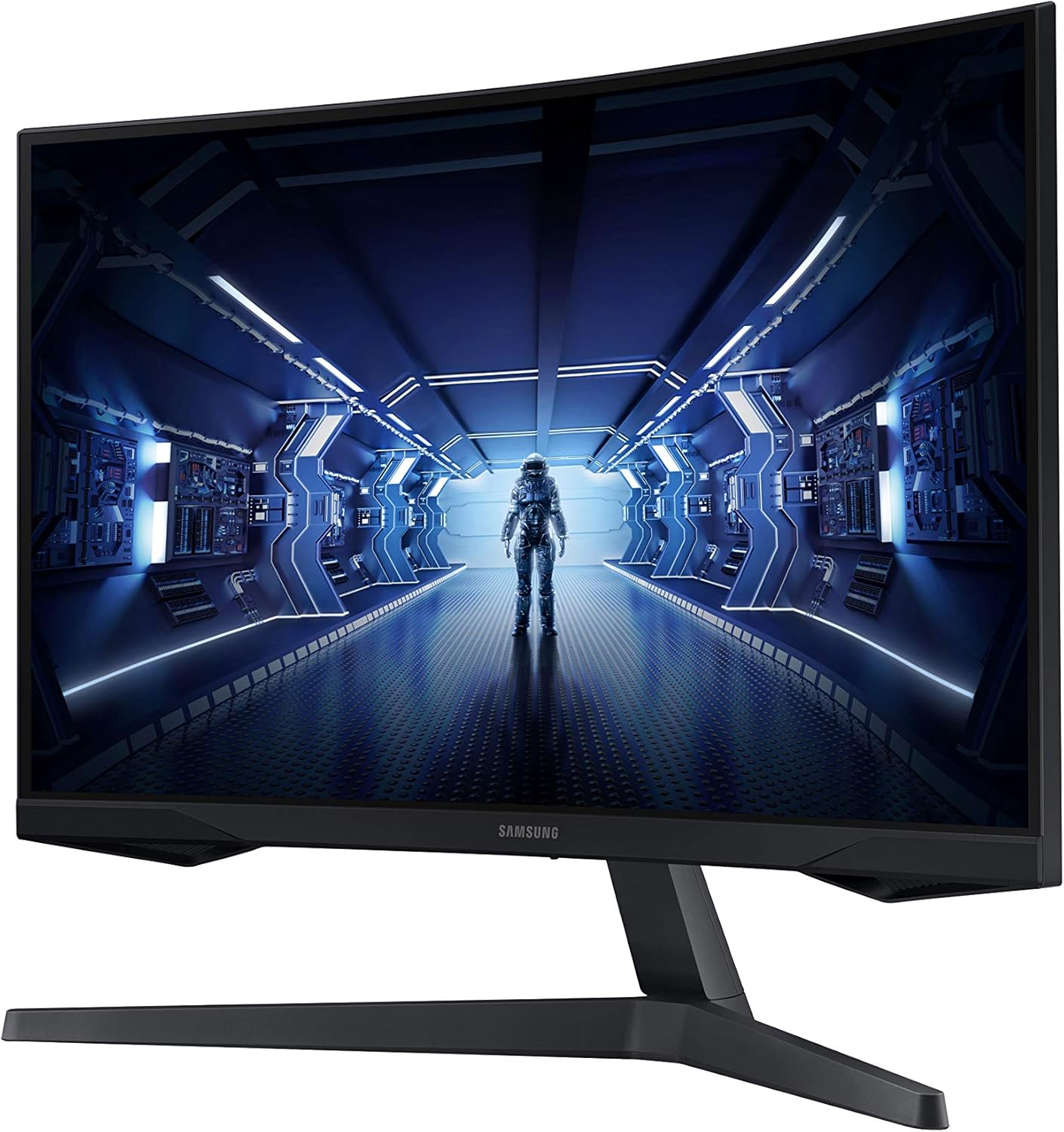
Samsung 34" Odyssey G5 Ultrawide Monitor
A 34-inch 1440p ultrawide with a punchy VA panel, aggressive 1000R curve, and 165Hz refresh rate — a lot of monitor for the money.
Price may vary. As an affiliate, we earn from qualifying purchases.
What we like
- 3440x1440 resolution gives you real screen real estate for multitasking
- 165Hz refresh rate is genuinely fast for an ultrawide at this price
- VA panel delivers deep blacks and strong contrast compared to IPS competitors
- 1000R curve reduces edge distortion and feels immersive at close distances
- Solid build with a clean aesthetic that fits most desk setups
Could be better
- VA panel has noticeable ghosting on fast-moving content — not ideal for competitive gaming
- No USB-C or KVM; connectivity is just HDMI and DisplayPort
- 1000R curve can look odd with productivity work if you sit far back
- Stand only tilts — no height adjustment without an aftermarket arm
Full Review
The Samsung Odyssey G5 Ultrawide sits at a compelling price point in a crowded segment. At around $280, you’re getting a 34-inch UWQHD VA panel with a fast refresh rate — a combination that most competitors either price higher or compromise somewhere to match.
Panel Quality and the 1000R Curve
The VA panel is the G5’s biggest differentiator and its biggest caveat. Contrast is excellent — blacks look genuinely dark, not the washed-out gray you get from IPS panels. Colors are vivid without being overblown. The 1000R curve (more aggressive than the common 1800R) wraps your peripheral vision naturally if you’re sitting within arm’s reach of the screen. It works well for immersive use.
The tradeoff: VA ghosting is real here. Fast transitions in games or video leave a faint trail, especially in dark scenes. It’s tolerable for most games and doesn’t affect productivity work at all, but if competitive shooters are a priority, look elsewhere.
Multitasking and Productivity Use
This is where the G5 earns its price tag. 3440x1440 at 34 inches means you can run two full-size windows side by side without either feeling cramped. The extra vertical resolution over 1080p ultrawides makes a meaningful difference for code editors, spreadsheets, and browser-heavy workflows. Samsung’s Picture-by-Picture mode works, though the implementation is basic compared to LG’s UltraWide software suite.
If you’re comparing this to LG’s 34WN780-B or similar IPS ultrawides, you’re trading the G5’s contrast and refresh rate for LG’s better color accuracy, USB-C connectivity, and height-adjustable stand. Neither is strictly better — it depends on your use case.
Connectivity and Stand
Two HDMI 2.0 ports and one DisplayPort 1.4 covers most setups, but the lack of USB-C is a real gap if you’re running a laptop. You’ll need a dock or a separate cable run. The stand only tilts — no height adjustment, no pivot. If you care about ergonomics (you should), budget for a VESA arm. The 100x100mm mount is standard and arms are cheap; this isn’t a dealbreaker, just an added cost to factor in.
Who Should Buy This
The G5 makes the most sense for someone who wants a large ultrawide primarily for productivity and casual gaming, doesn’t need USB-C, and is willing to add a monitor arm. The VA panel’s contrast is a genuine upgrade over similarly priced IPS options for anyone who does a lot of dark-mode work or watches video. If you need USB-C passthrough, accurate color for photo/video editing, or a clean single-cable laptop setup, the LG 34WN780-B or a similar IPS ultrawide is the better fit.


