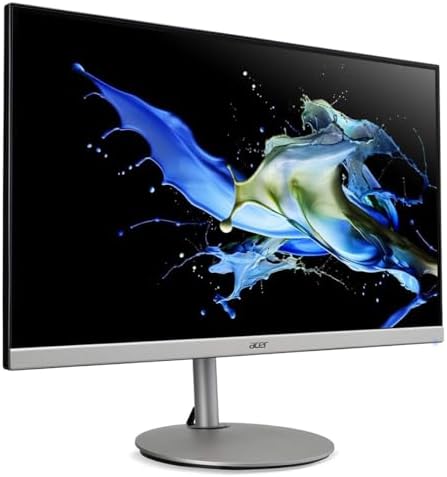
Acer CB282K 28" 4K UHD Monitor
A 28-inch 4K IPS monitor with a full ergonomic stand for under $300 — one of the best value upgrades from 1080p you can buy.
Price may vary. As an affiliate, we earn from qualifying purchases.
What we like
- True 4K IPS panel with 90% DCI-P3 color coverage
- Full ergonomic stand: height, tilt, swivel, and pivot
- AMD FreeSync keeps casual gaming smooth
- Competitive pricing for a 28" 4K display
Could be better
- 60Hz refresh rate — not for competitive gamers
- Built-in speakers are thin and low-volume
- No USB-C — HDMI and DisplayPort only
Full Review
The Acer CB282K is the monitor I recommend to anyone jumping from 1080p to 4K on a budget. It does the important things right — sharp IPS panel, solid color, and a full ergonomic stand — without padding the price with features you don’t need.
Picture Quality
The 28-inch IPS panel hits 3840 x 2160 at 60Hz with 90% DCI-P3 coverage. Text is razor sharp at native resolution, and colors look accurate enough for photo editing and general creative work straight out of the box. It’s not an HDR showcase — brightness tops out around 300 nits — but for a well-lit home office or late-night work sessions, it’s more than enough.
Viewing angles are the expected IPS wide, and there’s no noticeable backlight bleed on my unit. Compared to cheaper TN 4K panels like the older CB281HK, the color shift when you move your head is dramatically reduced.
Ergonomics and Build
This is where the CB282K punches above its price. You get a full ergonomic stand — 7 inches of height adjustment, tilt, 360-degree swivel, and pivot into portrait mode. Most monitors at this price give you tilt only and call it a day.
The stand is steel-based and stable, and the quick-release plate lets you VESA-mount it (100 x 100) without fighting screws. The bezels are thin on three sides, which helps it blend into a multi-monitor setup.
Connectivity and Extras
Ports are basic but sufficient: one DisplayPort and two HDMI 2.0, all capable of 4K/60Hz. There are built-in speakers — they exist, they make sound, and you’ll want to ignore them. If you need USB-C with power delivery for a laptop, look at the LG 32UN880 or similar step-up models instead.
AMD FreeSync is a nice bonus for casual gaming, though 60Hz is the ceiling. Competitive gamers should look elsewhere; everyone else won’t notice.
Who Should Buy This
Buy the CB282K if you want a genuinely good 4K monitor for work, web, and light creative tasks, and you want an ergonomic stand included. Remote workers, developers, and anyone running spreadsheets or docs all day will love the extra screen real estate. Skip it if you need high refresh rates, HDR, or USB-C docking — at that point you’re shopping in a different tier.


