Alienware AW3423DWF 34" QD-OLED Ultrawide Monitor
The QD-OLED ultrawide that sets the benchmark for contrast and color — and now sells for close to a mid-range IPS.
Price may vary. As an affiliate, we earn from qualifying purchases.
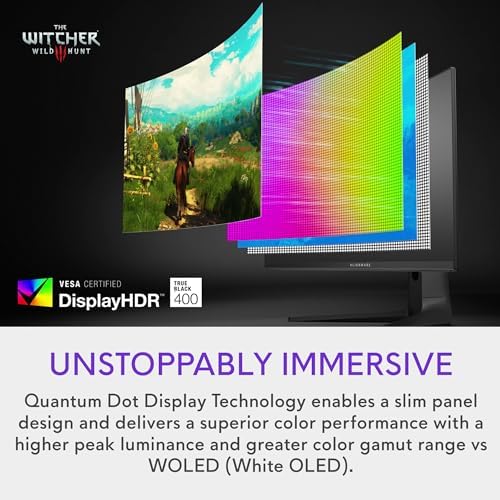
What we like
- QD-OLED panel with perfect blacks and infinite contrast
- 165Hz refresh rate and 0.1ms response time
- 99.3% DCI-P3 coverage with factory-calibrated colors
- 3-year warranty that explicitly covers burn-in
- Street price has dropped well below MSRP
Could be better
- Only 1000 nits peak in small HDR highlights — not a bright-room monitor
- Text fringing on QD-OLED subpixel layout can bother sensitive users
- Glossy coating picks up reflections
- 1440p at 34" is a lower pixel density than 4K panels
Full Review
The AW3423DWF is the monitor that ruined other monitors for me. Once you’ve stared at true black next to vibrant color on a QD-OLED panel, LCD starts to look like a milky compromise. It launched in 2022 as a more affordable sibling to the G-Sync AW3423DW, and four years later the street price has slid from $1,099 down to the $449–549 range on sale — which puts a premium OLED in the same bracket as decent IPS ultrawides.
Picture Quality
This is the whole reason you buy this monitor. Blacks are genuinely black, not dark grey. Contrast is effectively infinite because each pixel turns off individually. Colors are saturated without looking cartoonish, and the factory calibration holds up — Delta E under 2 out of the box means creative work doesn’t need a colorimeter to be usable.
HDR is where OLED earns its keep. Explosions in games, sunsets in films, the subtle gradient in a dark UI — all of it has a depth that mini-LED can’t fake. Peak brightness is the tradeoff: 1000 nits in tiny highlights, closer to 250 nits full-field. In a sunny room with the blinds open, an IPS will look punchier.
Daily Work Use
This section needs asterisks. The QD-OLED subpixel layout isn’t the standard RGB stripe, and small text can show faint color fringing around edges. Most people adapt in a day or two; some never stop noticing. If you’re a developer staring at 10pt code all day, try before you commit.
For everything else — spreadsheets, design work, writing, video calls — the 34” 3440x1440 canvas is a productivity weapon. Two full windows side-by-side with room to spare. And the matte-ish glossy coating makes photos and video pop in a way a work-focused BenQ never will.
Gaming
165Hz and 0.1ms response make this a legitimate gaming monitor, not a work display that tolerates games. Motion clarity is better than any LCD at any refresh rate because there’s no pixel transition blur. FreeSync Premium Pro works fine on NVIDIA cards despite not being G-Sync certified.
Who Should Buy This
Buy this if you want the best dual-purpose monitor on the market and you work in a room you can control the lighting in. It’s perfect for someone who spends evenings gaming or watching films on the same desk they work at during the day. Skip it if your office has harsh overhead lighting, if tiny text sharpness is non-negotiable for your job, or if you need 4K for photo editing. If you want brighter SDR for a sunny room, the LG 34WQHD-B or a good mini-LED ultrawide is a saner pick.


