ASUS BE24EQSB Eye Care Monitor
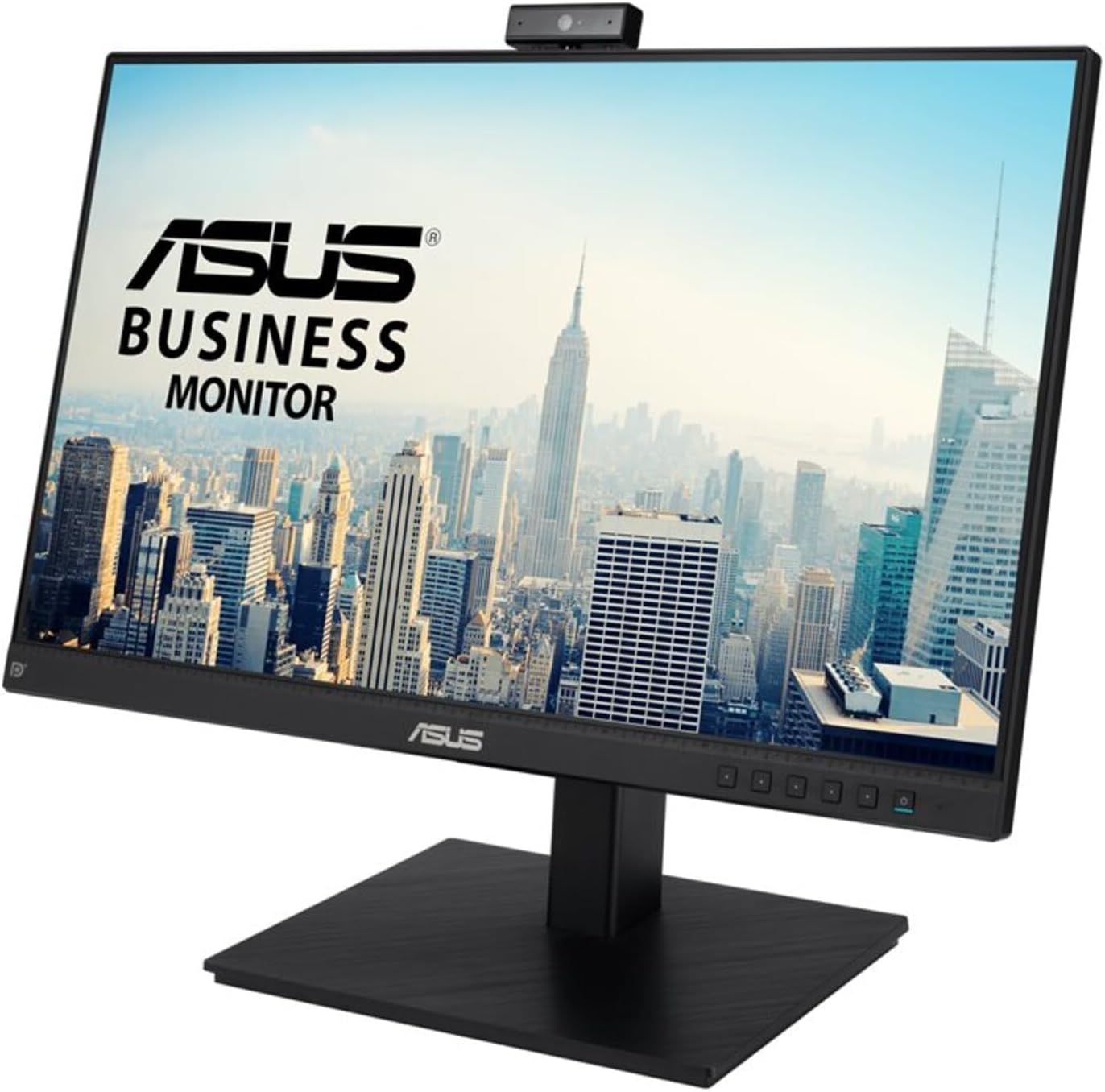
A 24-inch 1080p IPS monitor with a built-in webcam, mic array, speakers, and USB hub — a genuine all-in-one for video calls.
Price may vary. As an affiliate, we earn from qualifying purchases.
What we like
- Pop-up 2MP webcam tilts and retracts for privacy
- Built-in mic array and stereo speakers skip external accessories
- USB hub cleans up peripheral cabling
- Full ergonomic stand — tilt, swivel, pivot, height
- Eye Care tech: flicker-free, low blue light certified
Could be better
- 1080p at 24" isn't as sharp as 1440p panels in this price range
- 60Hz — not for gaming
- Built-in speakers are fine for calls, weak for music
Full Review
The ASUS BE24EQSB is built for one job: cutting the clutter around your video calls. Instead of stacking a webcam on top of the monitor, plugging in a separate mic, and running a speaker cable, you get everything packed into a single frameless panel. For a home office that lives on Zoom and Teams, that’s a genuinely useful consolidation.
The Built-In Webcam Is the Real Story
The 2MP webcam pops up from the top bezel and tilts, which means you can angle it properly for your sitting height — something most clip-on webcams fight you on. When you’re not on camera, push it back down and it’s physically hidden. No sticker, no plastic shutter, no trust issues. Image quality is on par with a Logitech C920 in good light and a bit noisier in dim rooms. The mic array picks up voice cleanly without an obvious proximity sweet spot.
Display Quality for Daily Work
The IPS panel is sharp enough for spreadsheets, documents, and code, with accurate colors and wide viewing angles. It’s 1080p, though, and at 24 inches that’s a density most people have outgrown if they’ve spent time on a 1440p or 4K panel. For email, browser tabs, and video calls it’s fine. For detailed photo work or dense code editors, you’ll notice the pixels.
Ergonomics and Connectivity
The stand does everything — height, tilt, swivel, full pivot to portrait. The USB hub lets you plug in a keyboard and mouse directly to the monitor and run a single upstream cable to your laptop. DisplayPort, HDMI, and VGA cover any machine you’d plausibly connect. No USB-C, which is the one omission that stings in 2026 — you can’t charge a laptop through this monitor.
Who Should Buy This
Get the BE24EQSB if you’re on video calls several times a day and want one cable, one device, zero accessories cluttering your desk. It’s also a smart pick for companies kitting out remote employees — one box covers monitor, webcam, mic, and speakers. If you want USB-C charging or a 1440p panel for sharper text, look at the ASUS BE24ECSBT or a standard productivity monitor paired with a separate webcam instead.


