ASUS ZenScreen OLED MQ16AHE Portable Monitor
A 15.6-inch OLED portable monitor with 100% DCI-P3 color and a 360° kickstand — the best travel screen for creative pros, with one real caveat.
Price may vary. As an affiliate, we earn from qualifying purchases.
What we like
- True OLED panel — perfect blacks and 100% DCI-P3 coverage
- 1ms response time and HDR-10 support
- USB-C and mini HDMI for nearly any laptop or phone
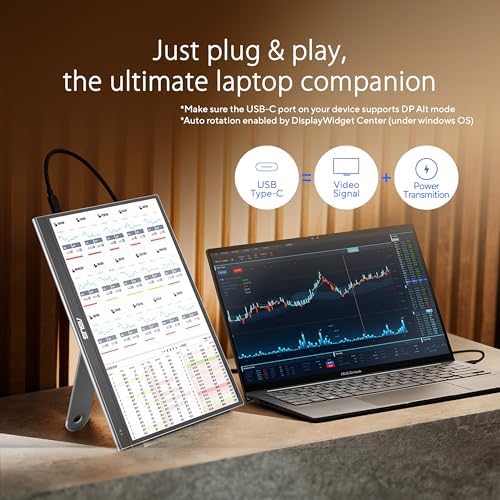
- 360° detachable kickstand works in landscape or portrait
- Proximity sensor dims the screen automatically when you step away
Could be better
- OLED burn-in risk with static taskbars or coding panels left on for hours
- 1080p at 15.6 inches is sharp but not retina-class for spreadsheet work
- Glossy finish picks up reflections in bright cafes
Full Review
The MQ16AHE is the portable monitor I keep recommending to traveling designers, photo editors, and anyone who edits video on the road. The reason is simple: it’s one of the few sub-$300 portable displays with a real OLED panel rather than a marketing-friendly IPS calling itself “wide gamut.” Blacks are actually black, contrast is essentially infinite, and 100% DCI-P3 coverage means the colors you grade in a hotel room match what you ship.
OLED vs IPS — The Trade-Off That Matters
If you primarily run a code editor, a terminal, and a chat app on this thing, you do not need OLED. A cheaper IPS portable like the ASUS MB16ACV or a Lenovo ThinkVision M14 will serve you just as well and cost half as much. OLED earns its price tag for color-critical work — photo culling in Lightroom, video timeline previews in DaVinci or Premiere, color-checked design comps. If that’s your workflow, the difference is night and day, especially in dim hotel rooms where IPS panels look gray and washed out.
Burn-In Is Real, But Manageable
I have to be honest here because it’s the question I get most. Yes, OLED burn-in is a real phenomenon, and a portable monitor used as a permanent second screen with a static Slack window or VS Code minimap visible eight hours a day, five days a week, will eventually develop image retention. ASUS bundles pixel-shift and screen saver utilities that mitigate this, but they don’t eliminate it. If your use case is “I need a permanent secondary display for my home office,” buy an IPS portable or a proper desktop monitor instead. If your use case is “I need a beautiful screen for trips and occasional desk use,” burn-in will not be your problem within the warranty period.
Build, Ports, and the Little Things
The 360° detachable kickstand screws into a standard tripod socket, which is genuinely clever — you can mount it on any travel tripod for awkward seating arrangements on planes or in shared workspaces. Two USB-C ports mean you can power it from one and feed video from the other, or do everything over a single cable from a modern laptop. The proximity sensor dimming the screen when you walk away is a small touch that adds up over a year of battery savings.
Who Should Buy This
Buy the MQ16AHE if you do color-critical creative work and travel regularly — photographers reviewing shoots in hotels, video editors cutting on the road, designers showing client comps. Skip it if you want a permanent second screen for general productivity, where an IPS portable or a proper desk monitor is both cheaper and burn-in-proof. For traveling pros who need accurate color in a 1.5-pound package, nothing in this price range matches it.


