BenQ MA320UP 32" 4K Nano Gloss Mac Monitor
BenQ's MA Series flagship for Mac pairs a 32-inch 4K Nano Gloss panel with dual USB-C and deep macOS integration.
Price may vary. As an affiliate, we earn from qualifying purchases.
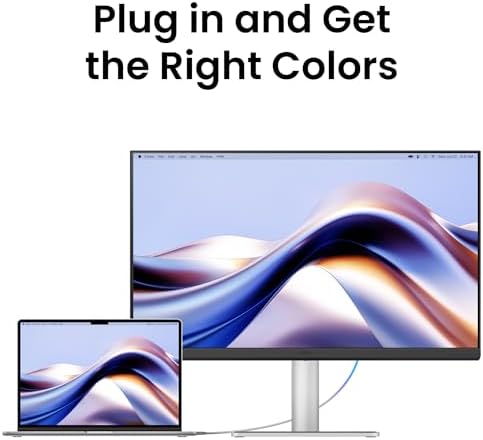
What we like
- Nano Gloss coating delivers Studio Display-style color punch without mirror-finish reflections
- Dual USB-C with 90W PD covers one-cable MacBook Pro charging plus a passthrough port
- Built-in Mac keyboard control for brightness and volume — works the way macOS users expect
- P3 wide color gamut with factory Mac color matching makes it usable for photo and video work
- 32-inch 4K gives plenty of desktop real estate at the default macOS scaled resolution
Could be better
- 60Hz refresh rate — no ProMotion-style smooth scrolling vs higher-Hz alternatives
- $1,199 puts it right between cheap 4K panels and the Studio Display — easy to second-guess
- No mini-LED or local dimming, so HDR is bright but not dramatic
- Stand is height/tilt only — no swivel, no portrait rotation
Full Review
The MA320UP is what happens when BenQ stops trying to undercut the Studio Display on price and instead tries to beat it on features that Mac users actually notice — Nano Gloss coating, Mac-keyboard volume and brightness control, and dual USB-C charging in a 32-inch 4K panel.
The Panel
Resolution is straight 4K (3840 x 2160), which on a 32-inch screen works out to about 137 PPI. That’s lower than the Studio Display’s 218 PPI, and you can see the difference if you put them side by side at close range. But macOS handles 4K at 32 inches gracefully at the default scaled “looks like 2560 x 1440” setting, and the extra screen real estate is the entire point.
The Nano Gloss coating is the differentiator. It splits the difference between matte and full gloss — colors stay punchy and blacks look genuinely black, but you won’t get a mirror image of the window behind you. For Mac users coming from a Studio Display or iMac, the visual character is closer to home than a typical matte panel.
Connectivity and Mac Integration
A 90W USB-C port handles charging, display, and the built-in USB hub for a 14-inch or 16-inch MacBook Pro over a single cable. A second downstream USB-C delivers 15W for an iPad or iPhone. KVM lets you switch a keyboard and mouse between two machines, which is more useful than it sounds if you keep a personal and work laptop on the same desk.
The Mac-specific touches actually work: brightness and volume controls on the Mac keyboard map to the monitor, no separate utility required. BenQ also ships color modes tuned to match Apple’s reference profiles, so the display doesn’t shift hue when you plug it into a different Mac.
Where It Falls Short
It’s not a mini-LED panel, so HDR content looks bright but not contrasty in the way a Pro Display XDR or even a high-end MSI QD-OLED handles it. The stand only tilts and adjusts height — no swivel, no portrait mode. And while the speakers are present, they’re not why you’re buying a $1,200 monitor.
How It Stacks Up
The Dell U3225QE is cheaper at around $900 with 120Hz and Thunderbolt 4, but it has a more reflective matte coat and a less Mac-friendly OSD. The 32-inch Apple Studio Display XDR sits well above $3,000, which makes the MA320UP look reasonable if you want a 32-inch glossy Mac display without crossing into reference-monitor pricing. If you specifically need 5K resolution for retina-perfect scaling, look at the BenQ MA270S 27-inch sibling or the Studio Display instead.
Who Should Buy This
Mac users who want a 32-inch glossy 4K display for general productivity, photo work, or light video editing, and who don’t need the absolute pixel density of a 5K or 6K panel. If you’re staring at code, spreadsheets, or Final Cut timelines eight hours a day, the combination of 4K real estate, P3 color matching, and one-cable USB-C is hard to argue with at this price.


