BenQ PD3225U 32" 4K Thunderbolt Monitor
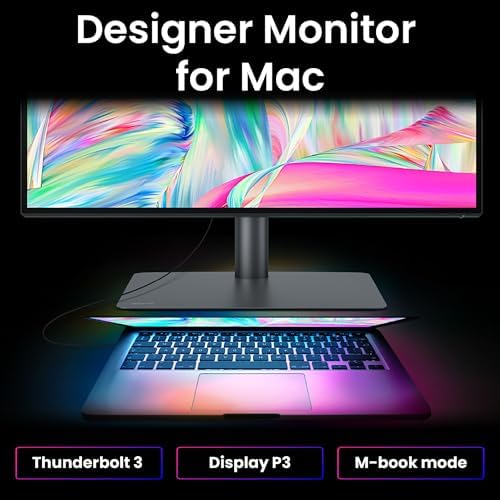
A 32-inch 4K IPS monitor with Thunderbolt 4 daisy-chaining, 96W USB-C charging, and factory calibration for creative pros who need more canvas than a 27-inch display offers.
Price may vary. As an affiliate, we earn from qualifying purchases.
What we like
- Thunderbolt 4 daisy-chain lets you run a second 4K panel off one cable
- Factory-calibrated 98% P3 and 100% sRGB with Delta E ≤2 out of the box
- 96W USB-C power delivery charges most 14-inch and some 16-inch laptops
- Built-in KVM switch cleanly juggles two computers on one keyboard and mouse
- 32-inch panel hits the sweet spot for side-by-side document and design work
Could be better
- $649 is a meaningful jump over the 27-inch UltraSharp competition
- IPS Black contrast helps, but OLED is still a step ahead for deep blacks
- 60Hz refresh rate — not for gamers, even casual ones
Full Review
The PD3225U is BenQ’s answer to creatives who’ve outgrown a 27-inch display but don’t want to jump to an ultrawide. It’s a 32-inch 4K IPS Black panel with dual Thunderbolt 4 ports, factory color calibration, and enough USB-C power to run a MacBook Pro off a single cable.
Thunderbolt 4 and the One-Cable Desk
The killer feature is the Thunderbolt 4 daisy-chain. One cable from your laptop carries 4K video, 96W of power, and a second 4K monitor off the downstream TB4 port. If you’ve ever wrestled with a nest of HDMI, USB-C, and power cables on a dual-display setup, this is the fix.
The 96W delivery is enough for a 14-inch MacBook Pro under full load and a 16-inch under most normal workloads. It’s a notch below the 140W the biggest MacBooks want for peak charging, but in practice you won’t notice unless you’re compiling for hours.
Color Accuracy for Actual Work
BenQ ships every PD3225U with an individual calibration report — 98% P3, 100% sRGB, Delta E ≤2. That’s real factory calibration, not a marketing sticker. The IPS Black panel pushes contrast to around 2000:1, which is noticeably better than the ~1000:1 you get from standard IPS and closes some of the gap to OLED without the burn-in risk.
For photo editing, color grading, and design work, this is the kind of panel you can trust without immediately reaching for a colorimeter. The Hotkey Puck G2 makes swapping between sRGB, P3, and Rec.709 modes a single click.
KVM Switch and Daily Use
The built-in KVM lets you share one keyboard and mouse between two machines — useful if you’ve got a work laptop and a personal desktop fighting for desk space. Switching inputs is instant via the Hotkey Puck.
At 32 inches and 4K, pixel density lands at around 140 PPI. Text is sharp, and you get meaningful extra canvas over a 27-inch 4K without needing to scale UI elements awkwardly. Stand adjustments are generous: tilt, swivel, pivot, and height.
Who Should Buy This
Buy the PD3225U if you’re a designer, photographer, or video editor who wants a calibrated 32-inch panel with one-cable Thunderbolt connectivity to a Mac or Thunderbolt-equipped PC. The daisy-chain is genuinely useful if you plan to run dual 4K displays.
If a 27-inch 4K is enough screen real estate, the Dell UltraSharp U2723QE saves you a couple hundred dollars with similar color performance. If you’re a gamer first, skip this entirely and look at a QD-OLED — 60Hz is a hard no for anything beyond turn-based games.


