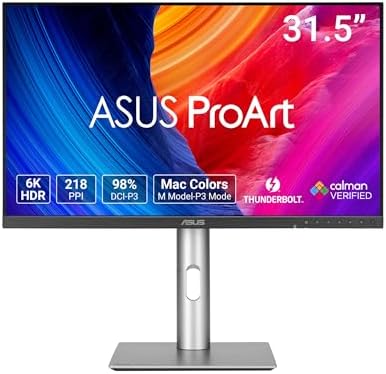
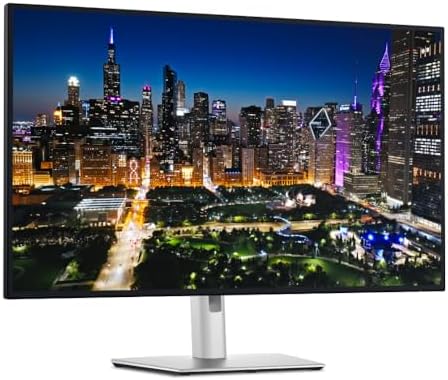
Dell UltraSharp U3225QE 32" 4K Thunderbolt Hub Monitor
A 31.5" 4K IPS Black panel at 120Hz with a built-in Thunderbolt 4 hub, 140W charging, and 2.5GbE — the single-cable endgame for serious desk setups.
Price may vary. As an affiliate, we earn from qualifying purchases.
What we like
- IPS Black panel delivers 3000:1 contrast — nearly 2x a standard IPS
- Thunderbolt 4 hub with 140W power delivery replaces a separate dock
- 120Hz refresh rate makes scrolling and motion noticeably smoother than 60Hz 4K
- Built-in 2.5GbE Ethernet and KVM switch for two-machine setups
- Factory calibrated to 99% DCI-P3 with Delta E <2
Could be better
- $1,249 puts it in pro territory
- Glossy-style coating shows fingerprints around the bezel and stand
- No HDR brightness to speak of — peak ~600 nits is fine, not impressive
Full Review
The U3225QE is Dell’s answer to the “what if my monitor was also my dock” question. The previous U3223QE already had a USB-C hub, but this generation pushes the idea further with full Thunderbolt 4, 140W charging, 2.5GbE, and 120Hz on a 4K IPS Black panel. For a single-monitor setup, it’s about as complete as it gets.
IPS Black at 120Hz Is the Real Story
The 3000:1 contrast ratio sounds like marketing copy until you put it next to a standard IPS panel and see the difference. Dark UI elements, video content with letterboxing, and any IDE on a dark theme look genuinely better — closer to OLED than to a typical LG.Display IPS. The 120Hz refresh rate is the other big upgrade over the U3223QE. It won’t matter for spreadsheets, but mouse movement, scrolling, and window dragging all feel smoother in a way that’s hard to give up once you’ve used it.
Color out of the box is excellent. Dell factory-calibrates each unit to Delta E <2 across sRGB and DCI-P3, and the calibration report ships in the box. It’s not a reference monitor for color grading, but for design, photo, and frontend work it’s more than accurate enough.
The Thunderbolt Hub Is the Killer Feature
This is where the U3225QE earns the price. One Thunderbolt 4 cable to your laptop delivers 4K/120Hz video, 140W of charging, gigabit-plus Ethernet via 2.5GbE, and connects every peripheral plugged into the back and side of the monitor. If you were going to buy a $400 CalDigit TS5 anyway, the math gets reasonable fast.
The KVM switch is the underrated piece. Plug a second machine into HDMI or DP and a USB-C upstream, and you can swap your keyboard, mouse, webcam, and Ethernet between two computers from the on-screen menu. For people running a personal MacBook alongside a work laptop, this alone justifies the upgrade.
Build and Ergonomics
The stand is the same excellent Dell tilt/swivel/pivot/height setup as previous UltraSharps. Cable routing through the stand is clean, the bezels are thin enough to fade away, and the back-panel quick-access ports (USB-A, USB-C) are positioned where you can actually reach them without crawling under your desk.
Who Should Buy This
Buy the U3225QE if you want a single monitor to be the hub of your entire desk and you’ve decided one big screen beats a multi-monitor setup. It’s especially compelling for MacBook users who want to ditch a dedicated dock — the 140W PD handles a 16” MacBook Pro under load. If you’re price-sensitive or don’t need Thunderbolt, the U2725QE is the same panel tech in a 27” form factor for hundreds less. If you want HDR for content creation, look at a reference display instead. For everyone else doing serious productivity work, this is the one to beat.