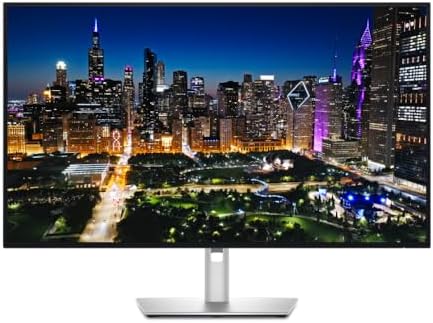
Dell UltraSharp U3225QE 32" 4K Thunderbolt Hub Monitor
Dell's flagship 32-inch 4K productivity monitor with IPS Black, 120Hz, Thunderbolt 4 hub, 140W PD, and a built-in 2.5GbE — the gold standard for serious desks in 2026.
Price may vary. As an affiliate, we earn from qualifying purchases.
What we like
- IPS Black panel with 3000:1 contrast — blacks are noticeably deeper than standard IPS
- Thunderbolt 4 hub with 140W power delivery handles even MacBook Pro 16" under load
- Built-in 2.5GbE Ethernet and KVM switch eliminate two more dongles
- 120Hz refresh rate makes scrolling and window animations dramatically smoother
Could be better
- $899 is a serious investment — overkill if you don't need the dock features
- Not a creator-grade HDR display despite the marketing
- Stand is huge and the bezel-bottom chin is taller than competing 32" panels
Full Review
The U3225QE is the successor to Dell’s wildly popular U3223QE, and it’s the monitor most home office buyers in the $800–$1,000 range should be cross-shopping in 2026. Dell kept the formula — 32-inch 4K, IPS Black, full dock — and added the three things people actually wanted: 120Hz, Thunderbolt 4 with 140W power delivery, and 2.5GbE.
IPS Black and the 120Hz Bump
The panel is the headline. IPS Black delivers roughly 3000:1 contrast versus the ~1000:1 on conventional IPS, and the difference is obvious in a dim room — text on dark backgrounds, terminal windows, and dark-mode UIs all look genuinely punchy instead of grey-on-grey. The 120Hz refresh rate is the other meaningful upgrade over the U3223QE. It’s not for gaming; it’s for the way the entire desktop feels when you scroll a long document or drag a window. Once you’ve used it, 60Hz feels sluggish.
The Hub Is the Real Reason to Buy
This is a docking station with a screen attached. One Thunderbolt 4 cable to your laptop delivers 140W of power (enough for a 16” MacBook Pro under sustained load), 4K video, USB peripherals, and 2.5GbE Ethernet. The built-in KVM lets you switch a single keyboard and mouse between two computers. If you’re currently running a CalDigit TS4 or OWC Thunderbolt Dock, the U3225QE replaces it entirely.
Color and Calibration
Dell factory-calibrates every unit to Delta E <1.5, with 99% DCI-P3 and 100% sRGB coverage. That’s good enough for serious photo editing and most video work. It’s not a reference monitor — colorists doing final HDR grades still need a Pro Display XDR or a Flanders — but for any normal creator workflow, this is plenty.
Who Should Buy This
Buy the U3225QE if you have one laptop, a desk, and you want to plug a single cable in to get power, display, network, and peripherals. It’s the best single-cable home office monitor on the market right now. If you don’t need the dock — you’ve got a desktop tower, or a separate Thunderbolt dock you’re happy with — the savings of a non-hub 4K 120Hz IPS Black panel like the LG 32U800A make more sense. And if 27 inches is the right size for your desk, the U2725QE is the same playbook in a smaller body for $300 less.


