eMeet Piko+ 4K Dual-Camera AI Webcam
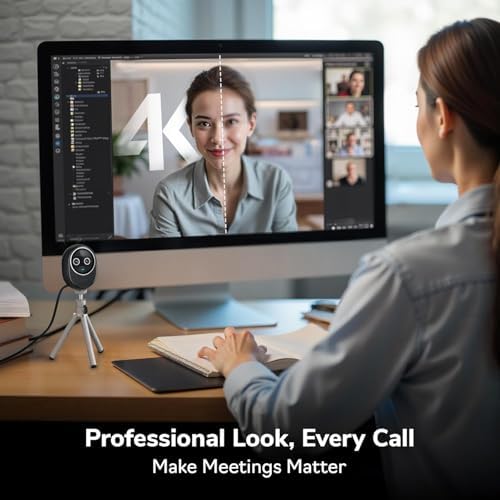
The world's first dual-camera 4K webcam pairs a Sony sensor with a second AI-assisted lens for streamers who want simultaneous face and overhead framing.
Price may vary. As an affiliate, we earn from qualifying purchases.
What we like
- Dual-camera setup captures face and keyboard/desk angle without a second webcam
- 1/2.55" Sony sensor handles low light better than most competing 4K webcams
- Three-mic array with dedicated noise canceling, music, and vocal modes
- Magnetic panda-style privacy cover is functional and easy to attach
Could be better
- $279 puts it above the OBSBOT Tiny 3 and Insta360 Link 2 in the premium tier
- Software polish lags behind OBSBOT for AI tracking features
- Dual-camera workflow is overkill for plain video calls
Full Review
eMeet pitched the Piko+ as the first dual-camera 4K webcam, and that framing matters more than the spec sheet suggests. If you stream, teach, or record tutorials where viewers need to see both your face and what your hands are doing, this is the only single-device solution that does both natively.
The Dual-Camera Pitch
The headline feature is a second AI-assisted camera that works alongside the main 4K Sony sensor. In practice, you get picture-in-picture framing — face camera plus a secondary angle — without rigging a second webcam, capture card, and OBS scene. For piano teachers, mechanical keyboard reviewers, and craft streamers, this collapses a fiddly two-camera setup into one USB cable.
The catch is that the secondary camera is assistive rather than a true equal. It’s lower-grade than the main sensor, so don’t expect both feeds to look identical. For supplementary framing, it’s fine. For dual primary angles, it isn’t.
Image and Audio Quality
The 1/2.55-inch Sony sensor is genuinely good. Low-light handling beats the Logitech MX Brio noticeably, and color rendering is more neutral than the slightly oversaturated OBSBOT Tiny 3. AI autofocus locks on quickly and doesn’t hunt the way cheaper webcams do when you lean back in your chair.
The three-mic array is the sleeper feature. Noise canceling mode is aggressive enough to use without a separate boom mic for casual streams, and the dedicated music mode preserves dynamic range in a way most webcam mics flatten. It’s not replacing a Shure MV7+, but it’s the best webcam audio I’ve tested.
Design and Build
Pearl-finish housing, rounded form factor, and the panda-themed magnetic privacy cover give the Piko+ a distinct creator-desk look — closer to a designer object than the utilitarian black bricks most webcams ship as. It’s smaller and lighter than a phone, and the included USB-C to USB-C and USB-C to USB-A cables cover both modern and legacy ports.
Who Should Buy This
Buy the Piko+ if you stream or record content where a second angle matters: keyboard cams, craft work, instrument lessons, or overhead demos. The dual-camera trick is genuinely useful and saves real money versus a two-webcam OBS rig.
If you only need a single face cam for meetings and the occasional stream, the OBSBOT Tiny 3 gives you better AI tracking software for similar money, and the Insta360 Link 2 is a stronger single-camera image. The Piko+ is a specialist tool — make sure you’ll actually use the second camera before paying the premium.


