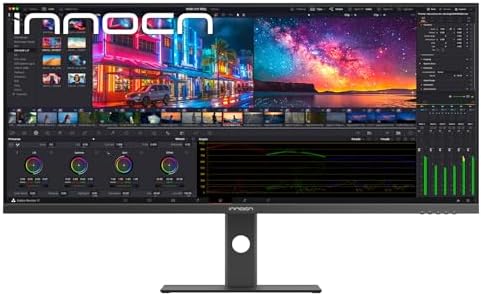
INNOCN 40C1U 40" 5K Ultrawide Monitor
A 40-inch 5120x2160 IPS ultrawide with Apple-tier pixel density at less than half the price of the Dell U4025QW or Alogic Edge 5K.
Price may vary. As an affiliate, we earn from qualifying purchases.
What we like
- 5120x2160 resolution gives Retina-class pixel density across a 40-inch panel
- Factory-calibrated DeltaE<2 with strong color accuracy out of the box
- 65W USB-C power delivery handles a MacBook Pro on a single cable
- 100Hz refresh rate is a noticeable upgrade over 60Hz productivity panels
- Costs roughly half what Dell and Alogic charge for the same resolution
Could be better
- INNOCN's brand support and warranty network is thinner than Dell's
- HDR400 is a checkbox-tier HDR implementation, not a real HDR experience
- Built-in speakers are functional but unremarkable
Full Review
The INNOCN 40C1U is the monitor that finally makes 5K ultrawide affordable. The Dell U4025QW and Alogic Edge 5K both push past $1,600 for the same 5120x2160 resolution at 40 inches. INNOCN delivers it at $749. That’s not a small gap — it’s the difference between “interesting” and “obvious.”
The Pixel Density Argument
Most 34-inch ultrawides ship at 3440x1440, which lands around 109 PPI — fine, but visibly softer than a MacBook’s display when you sit them side by side. The 40C1U runs 5120x2160 across a 40-inch panel, hitting roughly 140 PPI. That’s within shouting distance of the Apple Studio Display’s 218 PPI Retina target, and on macOS at default scaling, text is sharp enough that you stop noticing the screen and start noticing the work.
For developers, writers, and anyone who stares at small text all day, this matters more than refresh rate or HDR specs.
Color and Calibration
INNOCN ships the 40C1U with a factory calibration report and DeltaE<2 accuracy. In practice, that means it’s good enough for serious photo and video work without a colorimeter pass. It’s not a reference-grade panel — if you’re grading commercial work, you still want a Pro Display XDR or a calibrated Eizo — but for the photographer, designer, or YouTuber who needs accurate color without a $4,000 budget, it’s more than sufficient.
Ultrawide vs Dual Monitors
The productivity case for an ultrawide over a dual-monitor setup comes down to bezels and window management. A 40C1U gives you the equivalent of two 4K 20-inch monitors stitched together with no seam. Snap two windows side-by-side with macOS or PowerToys FancyZones and you get clean 2560x2160 halves — each one taller than a typical 27-inch 1440p panel.
If your workflow involves comparing documents, watching a video timeline next to a preview, or running an IDE alongside a browser, the seamless surface beats two monitors every time. If you actually want the screens to feel separate — say, work on one and chat on the other — dual monitors still win.
INNOCN 40C1U vs Dell U4025QW vs Alogic Edge 5K
The Dell U4025QW gets you Thunderbolt 4 with 140W charging, KVM features, and Dell’s enterprise warranty. The Alogic Edge 5K leans into Mac aesthetics with a cleaner industrial design. Both cost roughly twice as much.
The INNOCN gives you the same panel resolution, the same refresh rate, and competitive color accuracy. What you give up is brand prestige, support depth, and a few connectivity niceties. For most home office buyers, that’s a trade worth making.
Who Should Buy This
Buy the INNOCN 40C1U if you want Retina-class pixel density on a productive 21:9 canvas and you’d rather spend the saved $850 on a chair, a desk, or literally anything else. It’s especially compelling for Mac users who want one-cable docking and a sharp panel without paying Apple Studio Display money.
Skip it if you need bulletproof warranty support (go Dell), if you’re a serious gamer chasing 144Hz+ (this is a productivity panel), or if you want true HDR — HDR400 is a label, not an experience.


