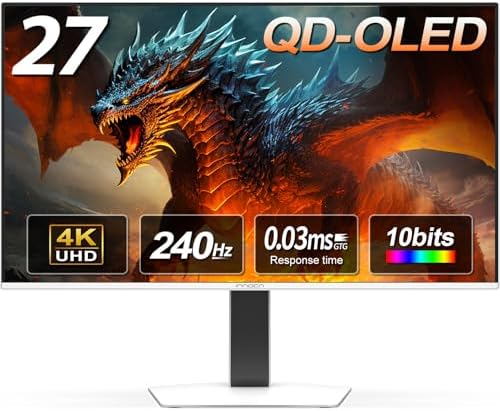
INNOCN GA27W1Q 27" 4K QD-OLED 240Hz Monitor
A 27-inch 4K QD-OLED at 240Hz for under a grand, with MAC-View sub-pixel rendering that finally makes OLED viable for full-time desk work.
Price may vary. As an affiliate, we earn from qualifying purchases.
What we like
- 4K 240Hz QD-OLED panel at hundreds less than Asus or MSI equivalents
- MAC-View mode dramatically sharpens text rendering for productivity use
- 0.03ms response time and HDMI 2.1 for PS5 and Xbox Series X at full bandwidth
- Aggressive burn-in mitigation suite — pixel shift, panel refresh, logo dimming
Could be better
- HDR400 certification undersells the panel — peak brightness is fine, not great
- Built-in speakers are present but uninspiring
- Three-year burn-in warranty is shorter than Dell's QD-OLED coverage
Full Review
The INNOCN GA27W1Q is the budget shortcut to the 4K QD-OLED upgrade everyone has been hearing about for two years. The Asus PG27UCDM and MSI MPG 272URX use the same Samsung Display QD-OLED panel and sell for $1,100 to $1,300. INNOCN slides in at $899 with the same 3840x2160 resolution, 240Hz refresh, and 0.03ms response time. The cost cut shows up in the OSD ergonomics and the brand cachet, not the image.
The Panel Is the Same Panel
This is the third-generation Samsung QD-OLED, the one with the redesigned sub-pixel layout that fixed the text fringing that plagued the first two waves. Color volume is enormous — 99% DCI-P3 with the saturation that only quantum dots deliver. Per-pixel emissive contrast means true blacks and HDR highlights that LCDs cannot match. Motion clarity at 240Hz is, frankly, ridiculous compared to anything sample-and-hold.
Where the GA27W1Q earns its price is HDMI 2.1 at full bandwidth on both HDMI ports, which is increasingly rare at this tier and matters if you are running a PS5 Pro or Xbox Series X alongside a PC.
MAC-View and the OLED-for-Work Debate
The “can you use OLED for productivity?” argument is mostly over in 2026. Pixel shift is invisible in normal use, panel refresh cycles run while you sleep, and the new sub-pixel structure renders Office, VS Code, and Chrome text without the rainbow halos that defined the 2023 OLEDs.
INNOCN’s MAC-View mode is a sub-pixel rendering toggle aimed specifically at macOS, which never adopted ClearType-style sub-pixel anti-aliasing. Turning it on cleans up font edges on a MacBook Pro in a way that genuinely surprised me. If you are a Mac user who has been holding off on OLED because of text, this is the feature to try.
Burn-In, Warranty, and the Real-World Risk
INNOCN ships the standard QD-OLED mitigation suite: pixel shift, logo dimming, taskbar dimming, and a four-hour compensation cycle. Run them. Hide your taskbar, set a screen saver, and you will not see burn-in inside three years of mixed productivity and gaming use — this is well-documented at this point.
The warranty is the asterisk. Dell offers three years of burn-in coverage on the AW2725Q. INNOCN’s coverage is shorter and the claim process is more of an unknown. If burn-in warranty matters to you, that gap is where the extra $300 for the Dell goes.
Who Should Buy This
Buy the INNOCN GA27W1Q if you want a 4K 240Hz QD-OLED for mixed work and gaming and you are not willing to pay Asus or Dell pricing for a near-identical panel. If you want a warranty you can rely on or a brand with a long track record on OLED claims, the Dell AW2725Q or Alienware QD-OLED lineup is worth the upcharge. For most desk-setup buyers in 2026, this is the new value pick.


