Insta360 Link 2 4K PTZ Webcam
A gimbal-mounted 4K webcam with a larger 1/2" sensor, AI tracking, and HDR — the most polished video quality you can get without stepping up to a mirrorless setup.
Price may vary. As an affiliate, we earn from qualifying purchases.
What we like
- 1/2" sensor delivers noticeably better low-light and color than typical webcams
- Physical 3-axis gimbal smoothly tracks you around the room
- Sharp, clean 4K/30 with usable HDR for backlit window setups
- AI noise-canceling mic is good enough to skip an external mic for meetings
- Gesture control and whiteboard mode are genuinely useful, not gimmicks
Could be better
- Tracking gimbal occasionally overshoots when you move quickly
- Companion software is required to unlock most features
- $200 is a real jump from the Logitech and Elgato mid-range
Full Review
The Insta360 Link 2 is the rare webcam upgrade that’s immediately obvious on a call. The image looks closer to a phone camera than a typical USB webcam — credit goes to the 1/2” sensor, which is meaningfully larger than what’s inside the Logitech MX Brio or most plug-and-play competitors.
Image Quality
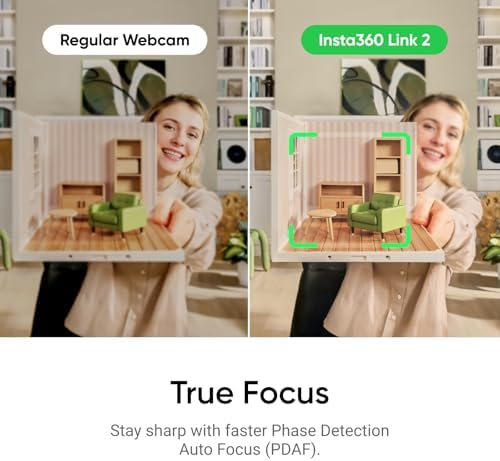
4K/30 output is genuinely sharp, with accurate skin tones and minimal of the over-sharpened, over-saturated look that plagues cheaper webcams. HDR handles bright windows well — you can sit in front of one without becoming a silhouette. Low-light performance isn’t quite Link 2 Pro territory (that one steps up to a 1/1.3” sensor), but it’s a clear notch above any 1/2.8” or smaller webcam in this price band.
The Gimbal and AI Tracking
This is the headline feature, and it works. The 3-axis gimbal physically pans and tilts to keep you centered, even when you stand up to grab something off a shelf. Tracking is smooth most of the time, though it can occasionally overshoot if you move suddenly. Whiteboard mode and overhead document modes are real productivity wins for hybrid teams.
Audio and Software
The dual AI noise-canceling mics are surprisingly competent — clean enough that you don’t need a Blue Yeti or headset for everyday calls. The Insta360 desktop app is required to unlock HDR, gesture control, and tracking modes, which is mildly annoying but stable in daily use.
How It Compares
If you want polished AI tracking and a slightly more refined gimbal, the OBSBOT Tiny 2 is the obvious cross-shop. The Logitech MX Brio nails image quality at a lower price but is a static webcam — no gimbal, no tracking. The Link 2 sits in the middle and arguably wins on overall package.
Who Should Buy This
Buy the Insta360 Link 2 if you do a lot of video calls, present from your desk, or stream and want the best image quality you can get without rigging up a mirrorless camera. If you sit still and just want sharp video, save money with the MX Brio. If you want the absolute best low-light performance, step up to the Link 2 Pro.