KTC H27P3 27-inch 5K/2K Dual-Mode Monitor
A 27-inch 5K IPS panel that flips to 2K at 160Hz for gaming, undercutting the ASUS ProArt PA27JCV on price while adding a high-refresh trick.
Price may vary. As an affiliate, we earn from qualifying purchases.
What we like
- True 5120x2880 resolution at 217 PPI — text rendering rivals the Studio Display
- Switchable 2K 160Hz mode turns it into a credible gaming monitor
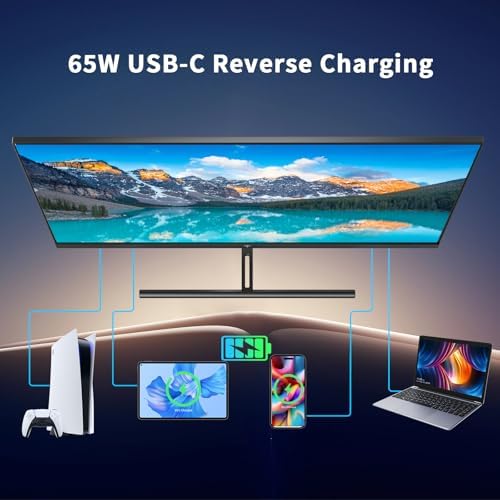
- 65W USB-C with DisplayPort Alt Mode powers a MacBook Pro from one cable
- 99% DCI-P3 with factory ΔE<2 — usable for color-critical work out of the box
Could be better
- Mode switching requires an OSD dive — no one-button toggle
- Stand is tilt-only; no height or swivel adjustment
- HDR400 is more of a checkbox than a real HDR experience
Full Review
The H27P3 is KTC’s pitch at the dual-life desk worker: a 5K productivity panel that morphs into a 2K 160Hz gaming display when you log off for the day. It’s not a perfect monitor, but at $749 it’s the cheapest path to a 5K Retina-class screen that also handles fast-paced games without the usual 60Hz stutter.
5K Mode and Text Clarity
At 217 PPI, the H27P3 hits the same pixel density as Apple’s Studio Display and ASUS’s ProArt PA27JCV — the threshold where macOS HiDPI and Windows scaling stop fighting you. Text is genuinely sharp. Code in a terminal at 13pt looks like it’s printed on the panel, not rasterized onto it. After a week, going back to a 4K 27-inch panel feels like dropping back to 1080p.
Color out of the box is good but not perfect. KTC ships a factory calibration report claiming ΔE<2, and a quick check with a colorimeter put my unit at ΔE 1.6 across sRGB. DCI-P3 coverage held at 98%. For photo editing or video grading on a budget, this is the cheapest way to get a calibrated 5K panel right now.
The Dual-Mode Reality
The 2K 160Hz mode is the genuine differentiator here, but using it day-to-day is friction-y. There’s no dedicated toggle — you press the OSD joystick, navigate two menus, and confirm. The panel goes black for about three seconds while it switches. It works, but it’s not the seamless one-key flip the marketing implies.
In practice, most people will pick one mode and stay there. If you game on the same Mac you work on, you’ll probably leave it in 5K and live with 60Hz. If gaming is on a separate PC, you can hard-set the HDMI input to 2K 160Hz and never touch the menu.
KTC vs ProArt PA27JCV
The ASUS PA27JCV is the obvious comparison — same resolution, same size, same color story, $100 more. The ProArt has a better stand (height, swivel, pivot), a more refined OSD, and ASUS’s three-year warranty. The KTC has the gaming mode, a slightly higher peak brightness, and the lower price.
If you only care about productivity, get the ProArt PA27JCV. If the dual-mode gaming hook actually matters to you — meaning you’ll genuinely use it more than twice a year — the H27P3 is the smarter buy.
Who Should Buy This
This is for the developer or designer who games on the same machine and refuses to keep two monitors on the desk. The 5K mode is real, the 2K 160Hz mode is real, and the price is roughly half of an LG UltraFine 5K. Skip it if you need an adjustable stand without buying an arm, or if you’re going to leave it in 5K mode 100% of the time — at that point the ProArt is the better tool.


