Logitech MX Creative Console (Graphite)
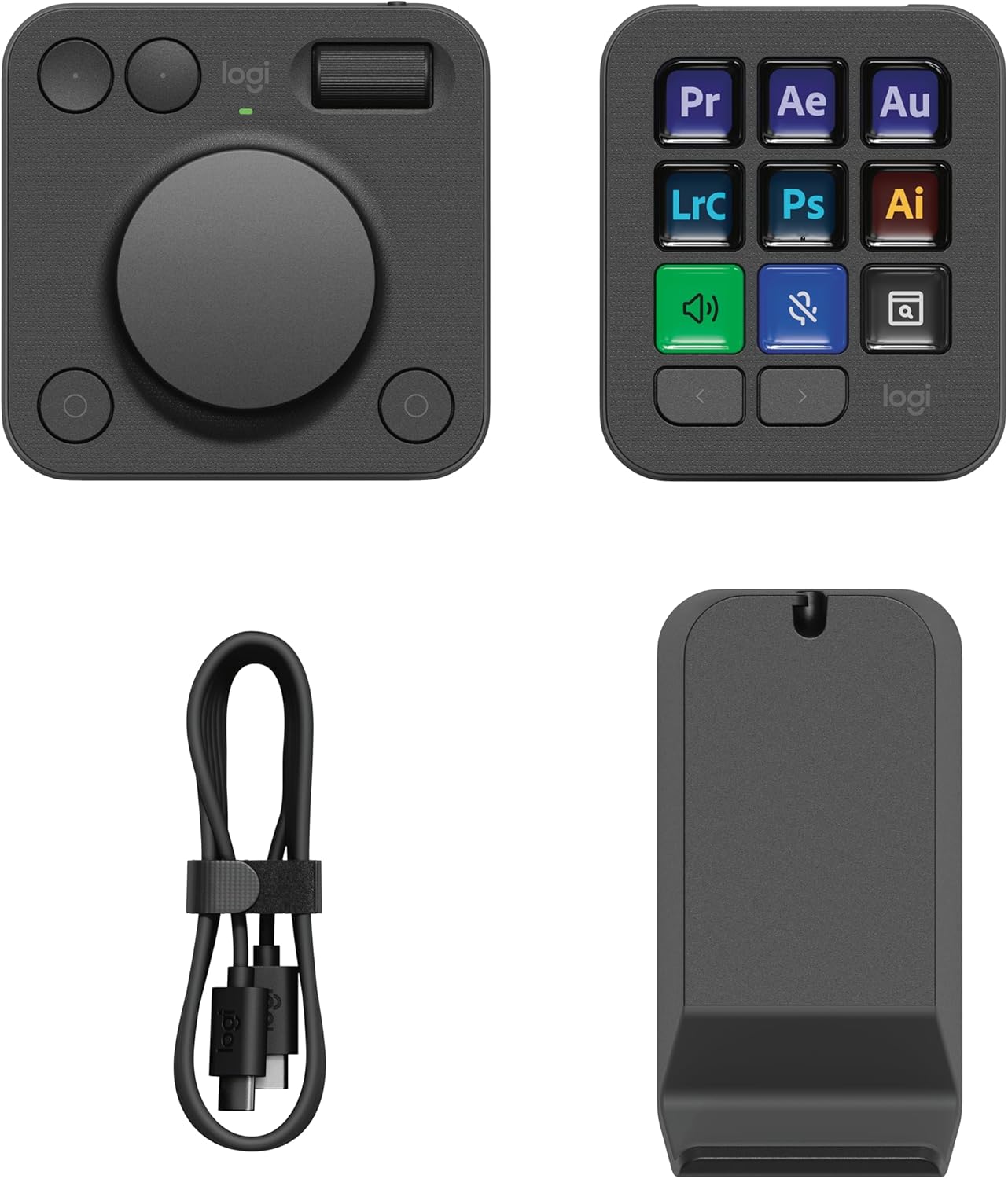
A two-piece keypad-and-dial controller built for Adobe shortcuts and creative workflows — better hardware than Stream Deck, weaker third-party plugins.
Price may vary. As an affiliate, we earn from qualifying purchases.
What we like
- Premium aluminum dial feels significantly better than Stream Deck's flat keys
- Deep native integration with Photoshop, Premiere, Lightroom, and Illustrator
- Separate dialpad lets you place controls where your non-dominant hand actually lives
- Includes 3 months of Adobe Creative Cloud
Could be better
- Third-party plugin ecosystem is still far behind Elgato Stream Deck
- Logi Options+ software is heavier and slower than Stream Deck's app
- USB-C cable to each module means two cables on your desk
Full Review
The MX Creative Console is Logitech’s swing at the Stream Deck — and on hardware alone, it wins. The two-piece design splits a 9-key LCD pad from a separate dial controller, so you can park the dialpad next to your trackpad or tablet without crowding your shortcuts. Build quality is what you’d expect from the MX line: dense plastics, satisfying key travel, and a machined aluminum dial that puts Elgato’s flat surface to shame.
Hardware That Earns the Price
The dial is the headline feature. It’s weighted, has subtle detents, and spins smoothly enough to scrub through Premiere timelines or adjust Lightroom sliders with real precision. The roller above it handles secondary parameters — brush size, exposure, audio levels — without you having to switch contexts. The 9 LCD keys are sharp and responsive, though slightly smaller than Stream Deck MK.2’s. Each module connects via its own USB-C cable, which is fine functionally but adds clutter.
Software Is the Sticking Point
Logi Options+ has come a long way, but it’s still the weak link. Native Adobe integration is genuinely excellent — open Photoshop and the keypad auto-loads tool, layer, and brush controls without configuration. Same for Premiere, Lightroom, and Illustrator. Outside Adobe, things thin out fast. There’s basic support for Zoom, Spotify, and a few DAWs, but the community plugin marketplace that makes Stream Deck so sticky for OBS streamers, smart home users, and developers doesn’t exist here. If you want a button that triggers a Home Assistant scene or runs a shell script, you’re going to fight the software.
Daily Use for Creative Work
For an Adobe-heavy workflow, this thing earns its desk space within a week. The dial alone replaces a dozen keyboard shortcuts in Lightroom — I run through cull-and-edit sessions noticeably faster. The contextual pages mean the same 9 keys do different jobs in Photoshop versus Premiere without you reconfiguring anything. For non-creative tasks (launching apps, muting Zoom, controlling music), it works, but you’re using premium hardware to do what a $20 macro pad could.
Who Should Buy This
Buy this if you spend hours a day in Adobe Creative Cloud and want hardware that feels as good as your work deserves. The dial is genuinely better than anything Elgato sells, and the native plugin support is the most polished out there. If you’re a streamer, OBS power user, or someone who wants thousands of community plugins, the Elgato Stream Deck MK.2 or Stream Deck + is still the right call — Logitech hasn’t caught up on ecosystem yet, and probably won’t this year.


