Anker Prime Thunderbolt 5 Docking Station
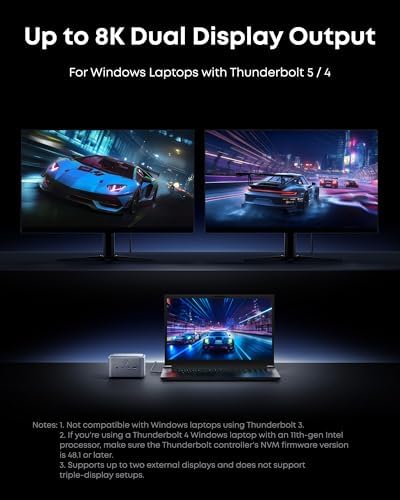
A 14-in-1 Thunderbolt 5 dock with 120Gbps transfer, 140W charging, and dual 8K display support — Anker's most ambitious dock to date.
Price may vary. As an affiliate, we earn from qualifying purchases.
What we like
- Full Thunderbolt 5 spec: 120Gbps bandwidth and dual 8K output
- 140W upstream charging easily powers an M4 MacBook Pro 16"
- 14 ports including HDMI 2.1, 2.5GbE, SD/microSD, and front USB-C
- Active cooling keeps performance steady under sustained load
- Significantly cheaper than CalDigit and Kensington TB5 alternatives
Could be better
- Front dual USB-C ports share a 45W budget
- Active fan is audible in a quiet room
- Only one HDMI/DP port — multi-monitor setups need TB5 adapters
Full Review
The Anker Prime TB5 Dock is the most aggressive pricing we’ve seen on a true Thunderbolt 5 dock. At $349, it undercuts the CalDigit Element 5 and the Plugable TBT-UDT3 while delivering the full 120Gbps spec, 140W charging, and a 14-port layout that covers nearly every scenario short of an SDI feed.
Build and Thermals
The chassis is dense aluminum with a soft-touch top and an ambient LED strip you can disable. It runs warmer than older Anker docks, which is why there’s an active cooling fan inside. Under sustained load — a 4K capture card plus a 10GbE NAS feed — the fan spins up to a quiet but audible whoosh. It’s not annoying at desk distance, but if your room is silent, you’ll hear it. The CalDigit Element 5 stays passively cool, which is its main edge here.
Ports and Daily Use
You get one Thunderbolt 5 upstream, two TB5 downstream, two USB-C (10Gbps, front-facing), three USB-A, HDMI 2.1, 2.5GbE, SD + microSD readers, and a front 3.5mm jack. The two front USB-C ports share a 45W budget, so you can charge a phone and a tablet simultaneously, but not two laptops. The HDMI 2.1 port handles 4K@144Hz cleanly — useful if you don’t want to burn a TB5 port on a single display.
Performance vs CalDigit and Plugable
In real-world testing, all three TB5 docks hit the same ceiling: bandwidth is bandwidth, and TB5 controllers all behave similarly. Where Anker pulls ahead is the port count and the price. CalDigit’s Element 5 is more minimal (5 ports, no card reader) and aimed at users who want a clean hub. Plugable’s TBT-UDT3 sits in between but lacks HDMI 2.1. If you need every legacy port plus TB5 headroom, Anker wins. If you want passive cooling and a Mac-first aesthetic, the CalDigit is still the safer pick.
TB4 to TB5: Worth the Upgrade for M4 MacBook Pro Users?
Honest answer: only if you’re actually pushing the bandwidth. The M4 MacBook Pro supports TB5, but most users running a single 4K or 5K monitor with a few SSDs won’t notice a difference vs a TB4 dock like the CalDigit TS4 or Anker 778. Where TB5 matters: dual 6K/8K displays, 40Gbps+ external storage arrays, or eGPU enclosures. If that’s your setup, the Anker Prime is the cheapest entry point into TB5 right now.
Who Should Buy This
Buy the Anker Prime TB5 Dock if you’re a Mac or Windows power user with an M4-class machine, you need 12+ ports in a single dock, and you want TB5 future-proofing without paying CalDigit or Kensington premiums. Skip it if you don’t need more than four ports — the CalDigit Element 5 is cleaner and quieter for minimalist setups. And if you’re still on a TB4 laptop, save $150 and grab the Anker 778 TB4 dock instead.


