Ergotron HX Heavy Duty Monitor Arm
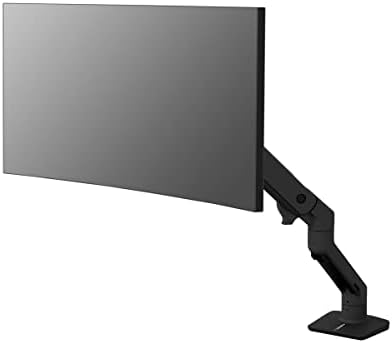
Ergotron's premium single arm built for the monitors lighter mounts can't hold — ultrawides up to 49 inches and 42 pounds, counterbalanced smoothly with one finger.
Price may vary. As an affiliate, we earn from qualifying purchases.
What we like
- Holds monitors from 20 to 42 lbs — true heavy-duty range, not aspirational
- Constant-force lift moves a 35 lb ultrawide with one finger
- Supports flat and slight-curve ultrawides up to 49 inches
- 10-year warranty backed by Ergotron's spare-parts pipeline
- Polished aluminum and matte black finishes look at home on a real desk
Could be better
- Overkill (and overpriced) for monitors under 20 lbs
- Cable management is a single channel under the arm — not as clean as the LX's clip system
- Won't handle 1000R deep-curve panels — that's the HX HD's job
Full Review
The HX exists because the Ergotron LX tops out at 25 pounds, and a lot of modern ultrawides blow right past that number. This is the arm you buy when your monitor is too big for everything else.
Build Quality
The HX is heavier and beefier than the LX in every dimension. The base is a thicker casting, the arm segments use larger pivots, and the gas spring is rated for the full 42-pound load. Pick one up out of the box and you immediately understand the price tag — there’s no flex anywhere, even when you mount something awkward like a 38-inch ultrawide hanging off the front of the arm.
The polished aluminum version photographs well but shows fingerprints. Matte black is the safer pick if you don’t want to wipe it down weekly.
Counterbalance and Adjustment
This is what separates the HX from cheaper “heavy-duty” arms. The constant-force lift mechanism actually works at the high end of its range — a 35-pound LG 38-inch ultrawide moves smoothly with one finger after tensioning. Most budget gas-spring arms sag under that load within a few months. The HX doesn’t.
Tension adjustment is a single Allen key on the arm. Set it once, forget it.
Do You Actually Need the HX?
Check your monitor’s weight before buying. Common reference points:
- 27” 4K monitors (most under 15 lbs) — the LX is plenty
- 34” ultrawides like the LG 34WN80C at ~17 lbs — LX handles it
- 38” ultrawides (typically 20–25 lbs) — borderline; LX works but HX is more confident
- 49” superwides like the Samsung Odyssey Neo G9 at ~32 lbs — HX required
- Studio displays and reference monitors in the 30+ lb range — HX required
If your monitor is under 20 pounds, save the money and get the LX. The HX is built for a specific problem, and paying for it when you don’t have that problem is just buying overhead.
Cable Management
This is the one area where the HX feels less polished than the LX. You get a single channel along the underside of the arm with snap-on covers. It works, but routing thick DisplayPort and power cables for a big monitor takes patience. The LX’s smaller clip-style channels are honestly easier to use day-to-day.
Plan to spend ten minutes routing cables on initial install.
Who Should Buy This
Get the HX if you own — or are about to own — a monitor over 20 pounds, especially a 38–49 inch ultrawide. It’s the only single-arm mount in this price tier that genuinely holds heavy panels for years without sagging, and the 10-year warranty isn’t a marketing line.
Skip it if your monitor is a standard 27 or 32 inch panel under 20 pounds. The LX does the same job for less than half the price. And if you’re running a deep 1000R curved gaming ultrawide, look at the HX HD instead — the standard HX pivot doesn’t clear those panels properly.


