Desk Accessories · Review
Insta360 Link 2 Pro
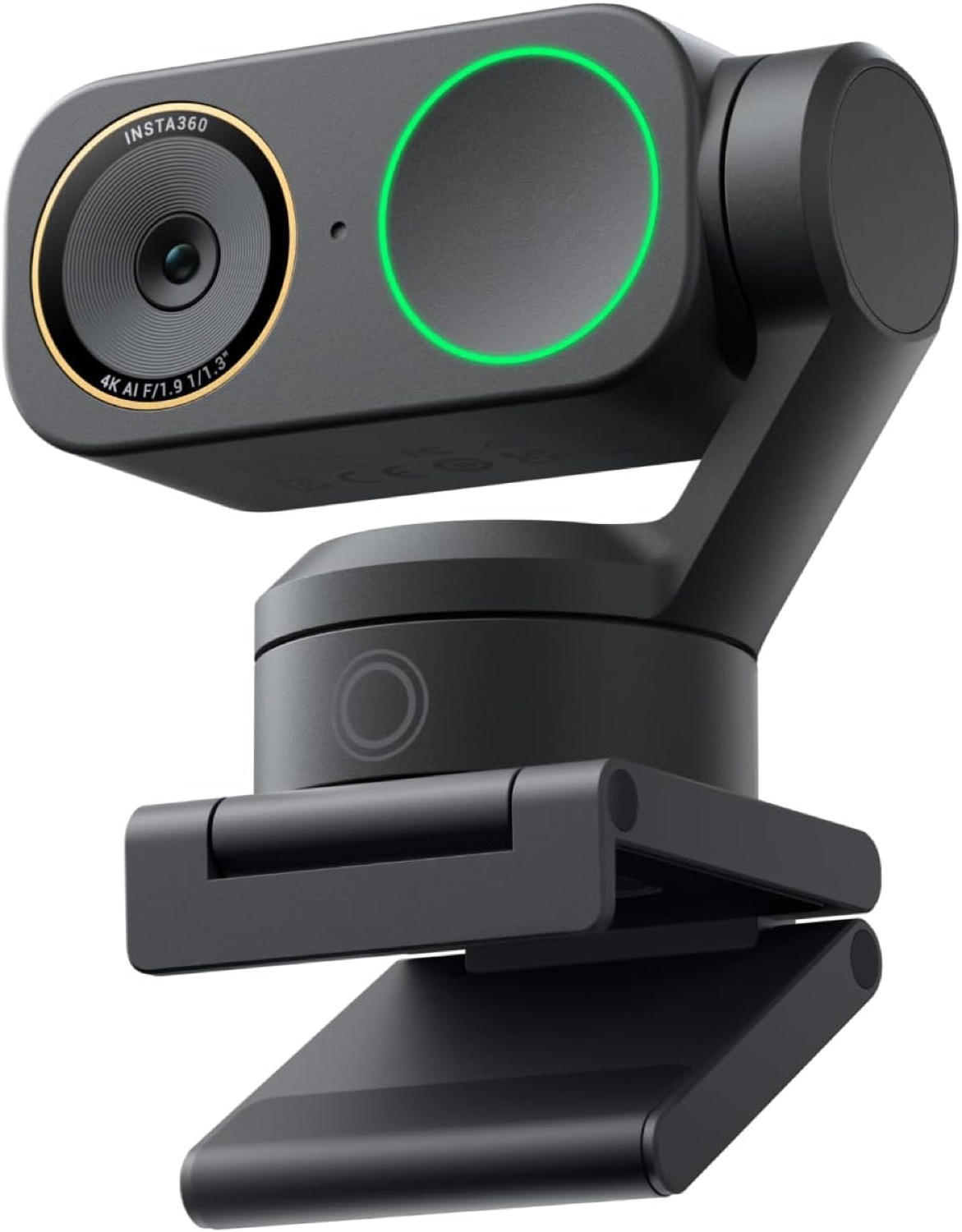
A 4K PTZ webcam with a 1/1.3-inch sensor and a real 2-axis gimbal. Great for presenters and tutorial makers, but a hard sell for ordinary meetings.
Published
Our verdict
4.2 / 5
Price at time of review
$249.99
Prices change. As an affiliate, we earn from qualifying purchases — it never decides the verdict.
What we like
- Large 1/1.3-inch sensor gives clean 4K and strong low-light performance
- Real 2-axis gimbal physically pans and tilts to follow you, with no digital crop
- Gesture and smartphone control make starting tracking or Whiteboard Mode easy
- DeskView, Whiteboard and 4K Portrait modes suit tutorials and demos
- Beamforming dual mics and Stream Deck support add useful extras
Could be better
- $249.99 is a lot when a Brio 500 handles standard calls well
- 4K tops out at 30 fps, so it's no leap for fast-motion streaming
- Not compatible with ARM-based Windows
- Tracking and gesture features need the Link Controller software to get the most from them
Full Review
Image Quality and Hardware
The big selling point is the 1/1.3-inch sensor, the largest in any webcam. Footage is clean and detailed at 4K, and low-light scenes hold up better than on most webcams. The built-in bokeh is natural enough for a home office that isn’t perfectly tidy.
Even so, 4K at 30 fps is standard for the category. If your calls are mostly 1080p, you’ll see the improvement on a good monitor but won’t be amazed.
The Gimbal Is the Point
Most webcams “track” you by cropping into a wide frame and losing resolution. The Link 2 Pro moves its lens with a 2-axis gimbal to follow you around the room. That keeps full sensor quality even when you’re pacing, standing at a whiteboard or presenting.
Gesture controls let you start tracking, zoom or enable Whiteboard Mode with a hand signal. A phone app does the same. DeskView is handy for showing paperwork or a gadget on your desk without an overhead rig.
If you mostly sit still, the gimbal does little for you. In that case, consider the lighter Insta360 Link 2C or the Logitech Brio 500 instead.
Daily Use
The redesigned dual-mic array uses beamforming to isolate your voice and cut background noise. It’s good for calls, but a dedicated mic such as the Elgato Wave 3 will still sound fuller.
Stream Deck integration lets you recall presets and switch modes with one press. That’s a real advantage for streamers and tutorial makers. The free Link Controller software offers fine-tuned control, though you’ll spend some time setting it up. Check the Windows note too: ARM-based Windows isn’t supported.
Who Should Buy This
Buy this if you teach, present, record tutorials or stream while moving around. The gimbal tracking and whiteboard tools really pay off in those cases. It’s also a good pick if you want the best image quality you can get from a webcam.
Skip it if you mainly sit still on Zoom calls. The Brio 500 costs far less and covers that job well. If you want Insta360’s software without the moving parts, look at the Link 2C. The sensor is the star here, but the gimbal is what justifies the $249.99 price.