Desk Accessories · Review
Insta360 Link 2C Pro 4K Webcam
A gimbal-free Link 2 Pro with the same large 1/1.3-inch sensor and 4K output. It's a strong pick for static seated calls, but it costs more than 1080p rivals.
Published
Our verdict
4.3 / 5
Price at time of review
$199.99
Prices change. As an affiliate, we earn from qualifying purchases — it never decides the verdict.
What we like
- Large 1/1.3-inch sensor gives clean, detailed 4K video and handles dim rooms well
- Costs less than the gimbal-equipped Link 2 Pro while keeping the same sensor and 4K output
- Digital auto framing and gesture control work well for a seated desk setup
- Built-in mechanical shutter physically covers the sensor for privacy
- Directional dual-mic array, Stream Deck support and the free Link Controller software add useful extras
Could be better
- No gimbal, so it can't physically pan or track you; framing is digital only
- At $199.99 it costs far more than 1080p webcams like the Brio 500, and 4K only pays off if your meeting platform renders it
- Natural bokeh needs an NVIDIA GPU or an Apple M-series chip
- Not compatible with ARM-based Windows systems or Windows Hello face recognition
Full Review
Build and Design
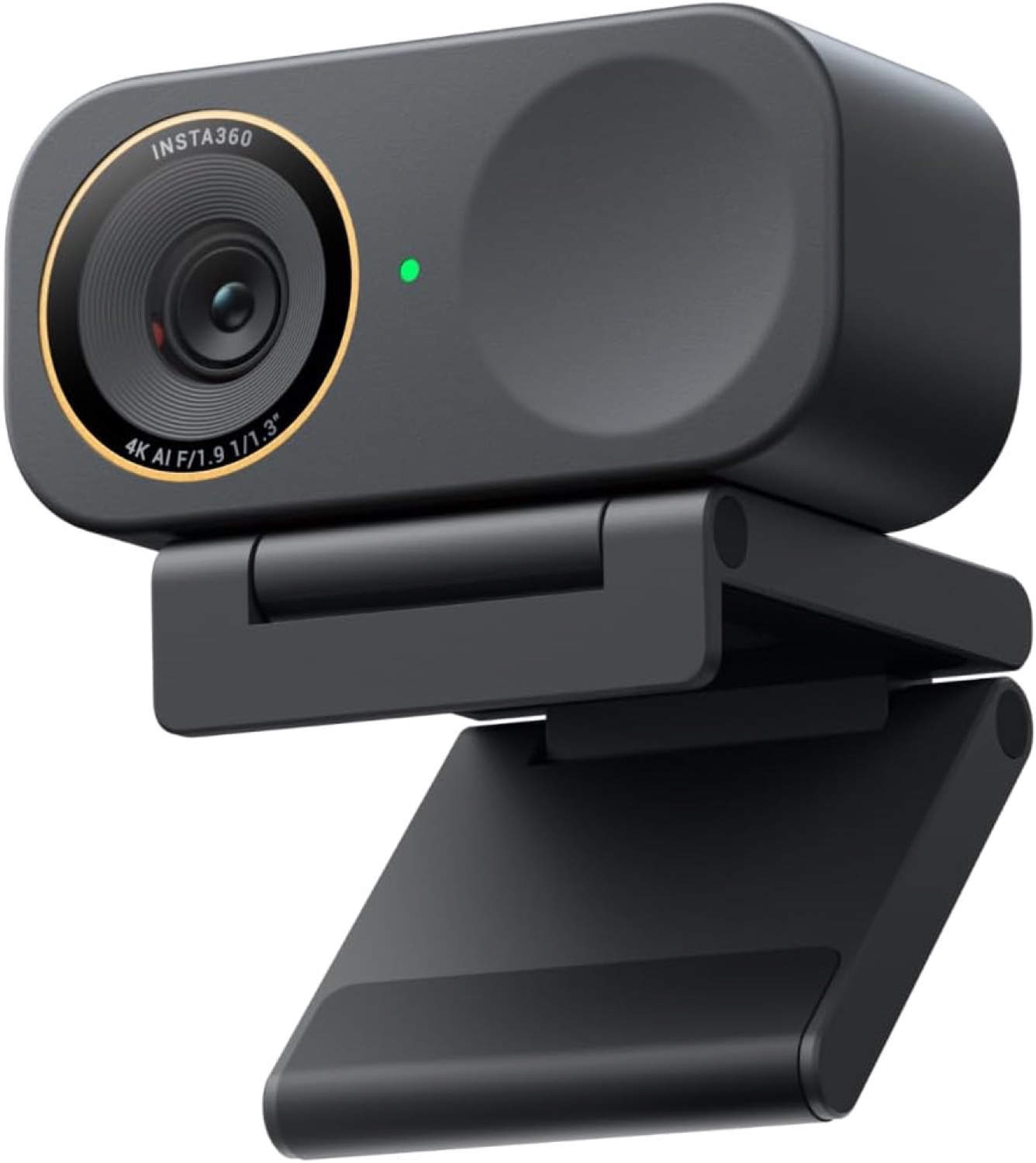
The Link 2C Pro is a small, light camera. It weighs about 48.5 g on its own and about 113.5 g with its magnetic mount. It sits on a monitor without pulling the screen forward. You tilt it by hand on the mount, and there is no motor inside. That’s the trade for the lower price. A built-in mechanical shutter covers the lens when you want privacy, which is more reassuring than a software toggle.
Image Quality and Features
This camera is built around a 1/1.3-inch sensor, which is large for a webcam. It outputs 4K at 30 fps, and the extra sensor area helps most when the room is dim. Faces look cleaner and less noisy than on small-sensor 1080p cameras.
Auto framing is digital. It crops and zooms to keep you or a small group centered. That works fine for someone sitting at a desk, but it can’t follow you around the room. If you pace during calls or present standing up, the gimbal-equipped Insta360 Link 2 Pro is the one to look at instead.
Gesture control and phone control are handy, and Stream Deck integration is useful if you already own one. Whiteboard and DeskView modes are included. Bokeh background blur looks natural, but it only works on a computer with an NVIDIA GPU or an Apple M-series chip.
Daily Use
The 4K advantage is real but conditional. Zoom, Teams and most other platforms compress or downscale video, and your bandwidth has to keep up. If your calls top out at 1080p, you’re paying for resolution nobody sees. In that case the Logitech Brio 500 at about $130 is the better value. The 4K output pays off for recording, streaming and cropping in on a wide frame.
The directional dual-mic array reduces background noise, which is good for a backup. A dedicated headset or microphone will still sound better.
Check your system before buying. The camera doesn’t support ARM-based Windows machines or Windows Hello face login.
If you want to spend less, the Insta360 Link 2C is the cheaper step down in the same line.
Who Should Buy This
Buy it if you spend your day on seated video calls, work in a room with imperfect lighting, and want the best image you can get from a camera that stays put. It’s also a good fit for streamers and recorders who will use the 4K.
Skip it if you move around while on camera, because the Link 2 Pro tracks better. Skip it too if your calls are 1080p at best, or if you’re on Windows on ARM. The Brio 500 is the better buy for those cases.